Your face. Your brand. Every platform.
Describe your video and generate a thumbnail using your reference photos and Brand Guide. Review one result at a time and request changes within your included revision window. Then repurpose your approved design across a 200+ format catalog. Built by the studio behind customThumbnails.com.
Some of the world's most recognizable brands. 15+ years of thumbnails, video production, and marketing campaigns for the biggest names in entertainment.
Different channels. Plenty of possibilities.
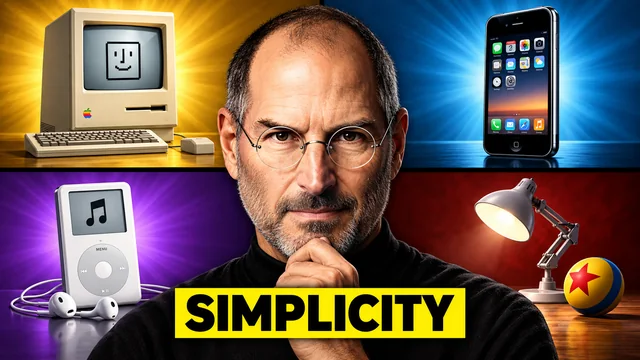
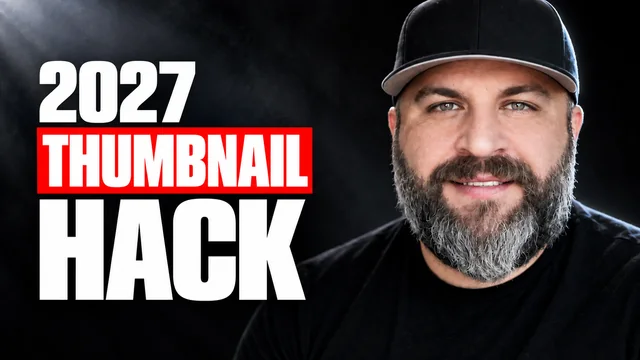
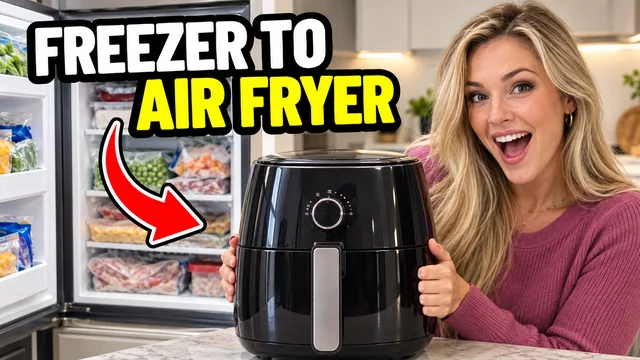
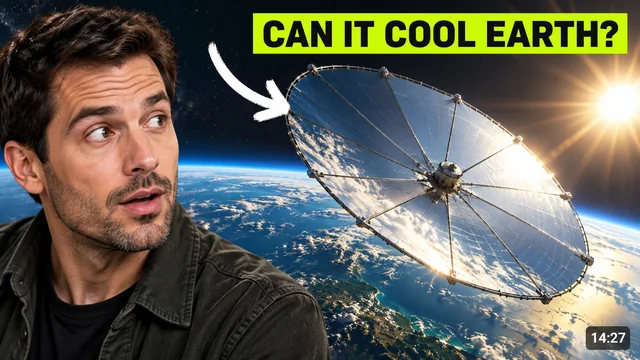
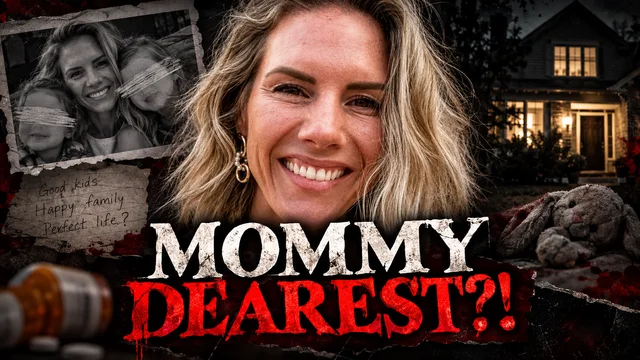
Explore a few directions for your next video, from cooking and creator tips to science, stories, and family adventures.





See 11 more examplesShow fewer examples







From idea to your next thumbnail.
Tell it about your video, watch it render, revise in plain language. The whole flow is built around one rule: the thumbnail should look like you made it, on your best day, in a fraction of the time.
Tell it about your video
Drop your title, the vibe, and what should be in the frame. Upload your face photos once and the engine uses them as high-fidelity references. Your Brand Guide (colors, fonts, tone) is applied automatically on every render.
Generate your first version
Get one image per render, using your brief, reference photos and saved brand settings. Review the composition and text, then request the changes you need.
Revise, approve, ship everywhere
Ask for changes the way you'd tell a designer: "bigger text," "more shock on my face," "warmer." Revisions use no additional credits within your plan’s attempt limit and open design window. Repurpose an approved design across the 200+ format catalog for half a credit each, with platform-sized files and an upscaled master.
Two ways into this studio.
Most AI tools meter you with credits and only think about YouTube. Most design apps make you do everything by hand. This studio gives you two doors: the engine for speed and volume, an expert human designer for the big ones.
|
customThumbnails.ai
The engine · Built around you
Get started →
|
customThumbnails.com
The flagship · Expert human designers
Work with a human →
|
Credit-based AI tools
Pay per render
|
Design apps
Do it yourself
|
|
|---|---|---|---|---|
| Made by | AI using your photos and Brand Guide | An expert human designer on your order | Generic AI models | You, from templates |
| Revisions | Included within plan limits and the open window | Free until you approve | Each one burns credits | Your time, every time |
| Speed | Can take a few minutes per render | Hours, not weeks. 24 to 48 standard, rush available | Seconds, while credits last | Your whole afternoon |
| Requests | Written briefs and revision requests | Anything you can describe, no text box limits | Whatever the prompt allows | Whatever you can build |
| Concept options | One image per render, with included revisions | A/B/C variations, free | One per credit | As many as you make |
| Platform formats | 200+ format catalog, half a credit per repurpose | 200+ format catalog, YouTube to Netflix key art | YouTube only | Resize each by hand |
| Best for | Every upload, and the videos your channel will be known for | Every upload, and the videos your channel will be known for | One-off renders | Full DIY control |
We've believed in human designers since 2018.
customThumbnails.com is the flagship of this studio. Expert human designers. Real conversation. The thumbnails our name was built on.
A designer who writes back
Share a half-formed idea. Get a better one back. Real chat, every order.
If you can describe it, they can design it
No prompt to fight. The requests that don't fit in a text box. A/B/C variations free, every order.
Room to get it right
Days to review, not hours. Sleep on it. Free revisions until you click Approve.
Justin Evans built YouTube channels before he built this engine.

Justin started uploading to YouTube in 2010. He and his family grew their channel to over 2 million subscribers and 1.3 billion views.
That run taught him the lesson this whole company is built on: the thumbnail is the first frame of the video. It decides whether anyone shows up at all. Other creators kept asking who designed his thumbnails, so in 2018 he started doing it for them. That is how customThumbnails.com began.
customThumbnails.ai is the next chapter: an AI workflow guided by your reference photos and Brand Guide, built from the studio's thumbnail experience. It's a tool a creator built because he needed it himself.
It sits alongside the family of creator services Justin runs, each a distinct service you can layer or pick from independently:
- customThumbnails.ai: AI thumbnail generation with your photos and brand
- customThumbnails.com: human-powered thumbnail design from expert human designers
- customEditing.com: done-for-you video editing (Long Form + Shorts)
- customDFY.com: full done-for-you channel management
- channelOS: strategy and insights layer for your channel
- customMastermind.com (home of LegacyLab): application-only operator mastermind
He's still creating. Still working with creators. Still running the studio. The operating philosophy hasn't changed: treat every channel like it's your own.
Honest pricing. Published. No games.
Plans start at $22/month billed yearly, or $27 month to month. One credit starts a design, and included revisions use no additional credits. Each open window allows up to 20 render attempts on Creator or 40 on Pro.
For channels shipping every week, on every platform.
- 20 design credits per month
- Included revisions within your open window and plan limit
- Repurpose across the 200+ format catalog, half a credit each
- Uses your face photos and Brand Guide
- One channel
For high-volume channels and small teams.
- 60 design credits per month
- Included revisions within your open window and plan limit
- Repurpose across the 200+ format catalog, half a credit each
- Up to 3 channels, each with its own Brand Guide
- Priority rendering and team seats
Running thumbnails for a roster of channels? Let's build your plan.
- Credit volume beyond the Pro plan
- Unlimited channels and Brand Guides
- Included revisions within your open window and plan limit
- Repurposing across the full 200+ catalog
- Priority rendering across your roster
- Dedicated support
One credit starts a design. Included revisions use no additional credits within your plan’s limit of 20 render attempts on Creator or 40 on Pro per open window. Each design stays open for 36 hours; approve it any time, or it approves automatically when the window closes. You can reopen any approved design for half a credit. If you use your monthly credits, you can renew your month early and your credits refresh right away, or move up a plan anytime.
The rest of the studio.
The AI engine pairs natively with the rest of the family. One Brand Guide carries across. One login. Same studio team. Add whichever doors you need.
Things creators ask before signing up.
Yes. That's the whole point. You upload face photos once during setup and the engine sends them as high-fidelity references on every render. The model is instructed to preserve your identity and appearance rather than invent a generic subject.
If a render ever misses, ask for a revision. Included revisions use no additional credits within your plan’s render limit and open window.
Three things. First, revisions never burn credits. Most AI tools charge credits per render, so every revision costs you. Here, one credit starts a design with up to 20 render attempts on Creator or 40 on Pro during its open window. Second, a 200+ format catalog. Most tools stop at YouTube. Here, any approved design repurposes to any platform you post on for half a credit, no new brief, no starting over. Third, the studio behind it. This engine was built by the team at customThumbnails.com, designing high-CTR thumbnails for creators since 2018. That experience guides its look library and platform rules.
Your Brand Guide is your channel's playbook: colors, fonts, tone, style references, and your face photos. You set it up once and every render pulls from it automatically, so your thumbnails stay consistent across every video and every platform.
If you also use customThumbnails.com, customEditing.com, or customDFY.com, the same Brand Guide carries across the whole family.
Revise it, free, in plain language. Tell the engine what to change the way you'd tell a designer: bigger text, different expression, warmer colors, move me to the left. Each original design stays open for 36 hours from its first render, with up to 20 render attempts on Creator or 40 on Pro. Included revisions use no additional credits. Approve when you are ready.
Included revisions use no additional credits. One credit starts an original design with a 36-hour window from its first render. Each window allows up to 20 render attempts on Creator or 40 on Pro, including its first render. Repurposes have a 12-hour window. Approval closes the window early; reopening costs half a credit. Your monthly credits and attempt limits are separate.
If you use your monthly credits, you can keep going: renew your month early and your credits refresh right away, or move up a plan anytime. And if your volume grows past the Pro plan, that's what the Agency plan is for. We'll size one to your roster.
36 hours from its first render. You'll see a countdown on the design and get a reminder before the window closes. Approve any time, then download a platform-sized file or the upscaled PNG master, 3840 pixels on its longest side. If the window closes first, the design is approved automatically and delivered the same way. From there, repurpose it across the 200+ format catalog for half a credit each. Want changes after approval? Reopen the design for half a credit and revisions pick right back up.
Yes. Once you approve and download a thumbnail, it's yours to use on your channel and anywhere else you publish. Full details are in the Terms of Use.
Yes, and it's the same studio. customThumbnails.com is our human-powered sibling service: expert human designers, A/B/C variations, and a 200+ format catalog that runs from YouTube thumbnails to Netflix key art. A lot of creators use both: AI for weekly volume, a human designer for launches and tentpole videos. Same Brand Guide, so everything matches.
Your credit covers your design in the format you brief it for. Download a platform-sized file for publishing, plus an upscaled PNG master with 3840 pixels on its longest side. From there, repurpose the approved design across a 200+ format catalog for half a credit each: YouTube, Shorts, TikTok, Instagram, podcast covers, Twitch, album art, course covers, newsletter headers, and far more. The full catalog is browsable in your dashboard, and if a format isn't in it, custom dimensions are always available at 1 credit.
A repurpose is not a new design. Your approved image, text and brand guide the new composition. Review the generated result before publishing. Repurposes have a 12-hour revision window from their first render, within your plan’s attempt limit.
Yes. Monthly plans are true month-to-month: cancel from your account whenever you like and your plan runs through the end of the current billing period. Annual plans are prepaid for the year and run through the full term; cancel anytime to stop the next renewal. Come back anytime; your saved Brand Guide and reference photos will be waiting.
Your next click is waiting.Your next viewer is waiting.Your next video is waiting.Your breakthrough is waiting.
Let's go.
Stop losing hours in a design app or burning credits on renders that don't look like you. Describe the video, approve the thumbnail, ship it everywhere. And when you want human hands on a big video, customThumbnails.com is one door down. Same studio, same Brand Guide.
Generate my first thumbnail →